
Description
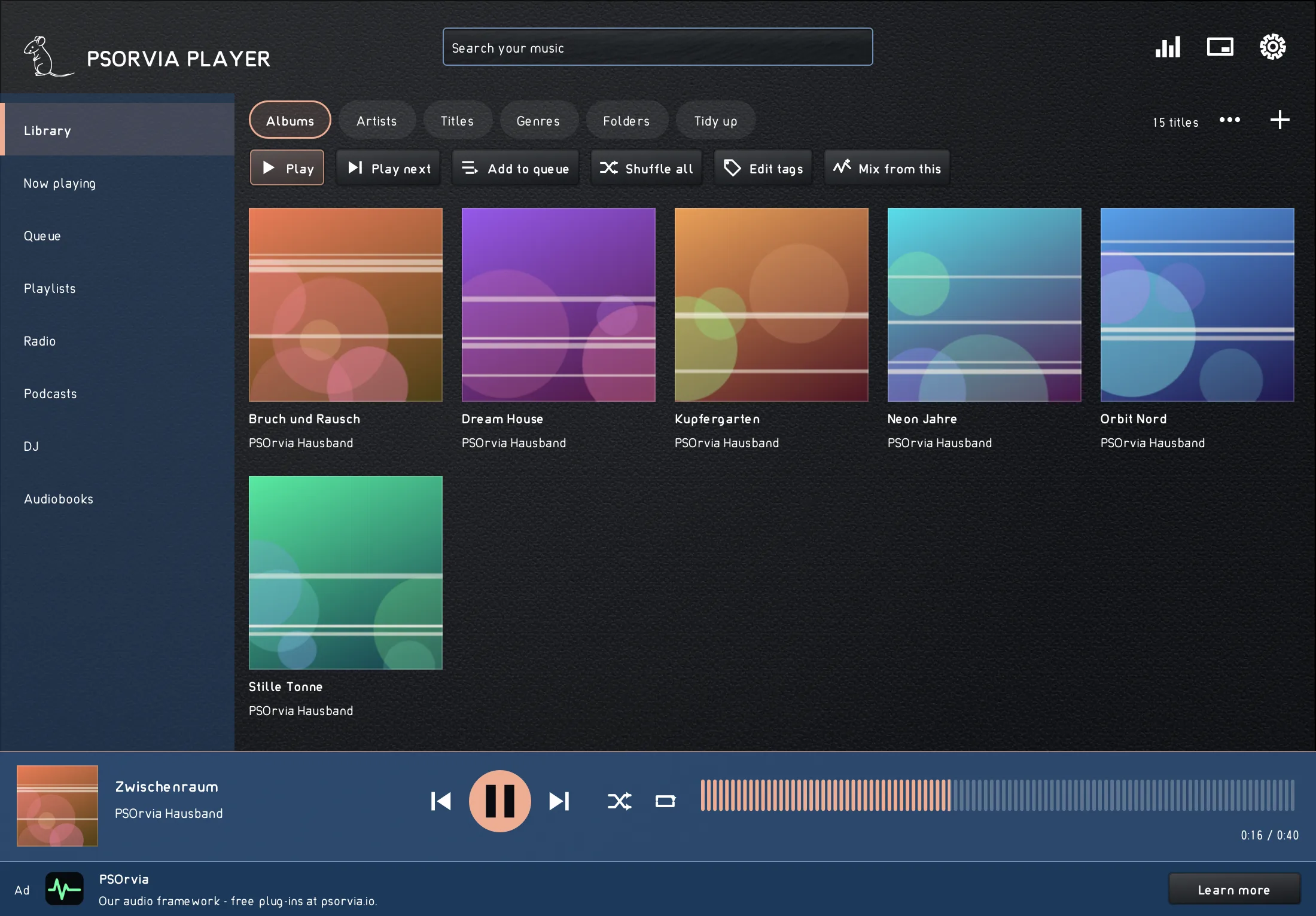
PSOrvia Player plays your own music, internet radio, podcasts and audiobooks in one window. Free. No account, no subscription. It is a program of its own, not a plugin, and it sends no usage data.
THREE PROMISES
- Free of charge, with no account and no subscription.
- Your data stays with you. Every connection to the internet is off until you switch it on. Syncing between your devices goes only to your own WebDAV cloud.
- Sound without compromise: gapless playback, crossfade, volume levelling (ReplayGain), equalizer and bit-perfect output.
LIBRARY AND SEARCH
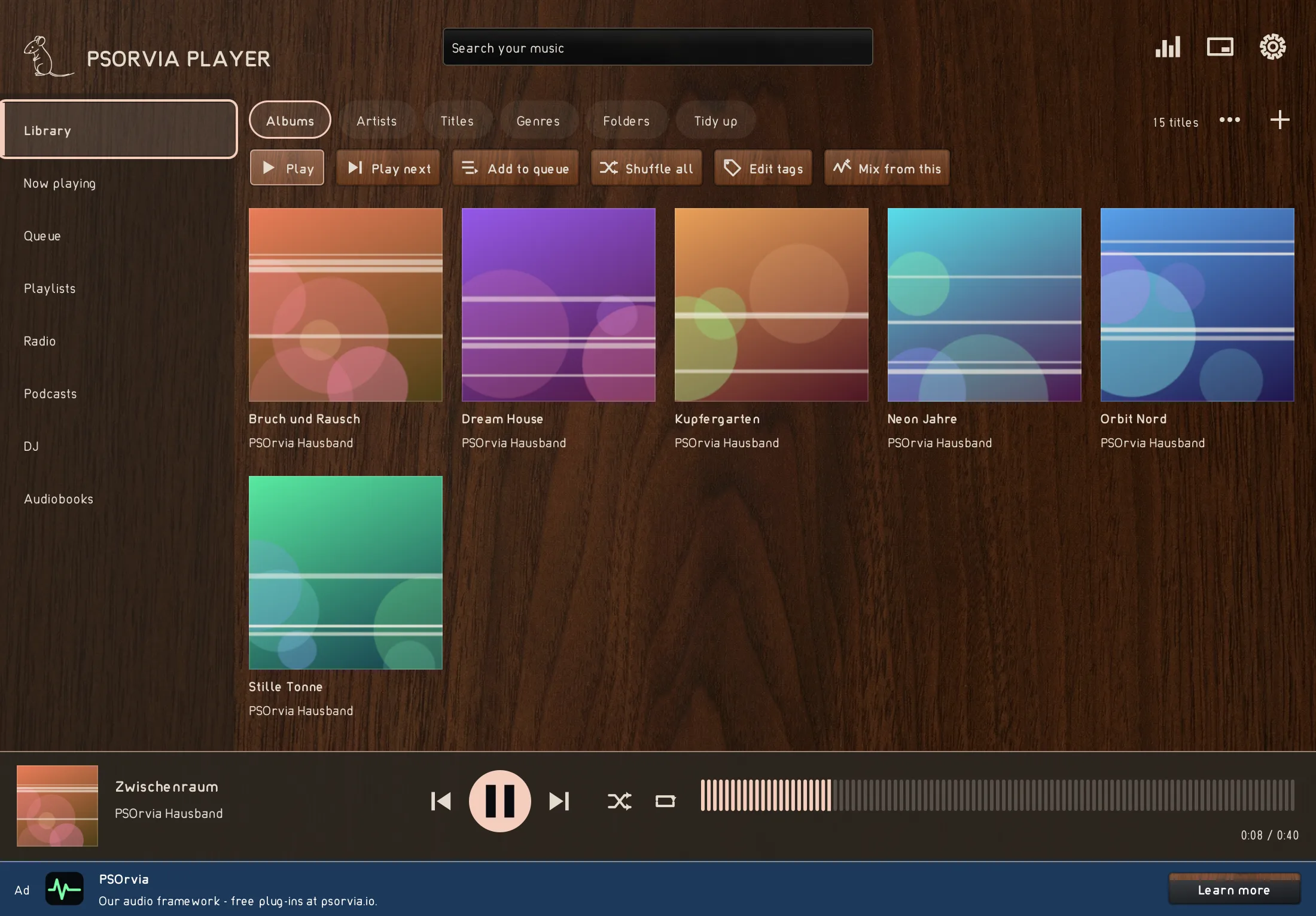
- Point it at your music folders. Reading runs in the background, and you can search and listen in the meantime. The list follows every key press.
- Albums with covers, artists, titles, genres and folders. Tidy up with a preview first: rename files by their tags (with undo) and find duplicate tracks.
- Playlists, with import and export of M3U, M3U8, PLS and XSPF.
NOW PLAYING AND THEMES
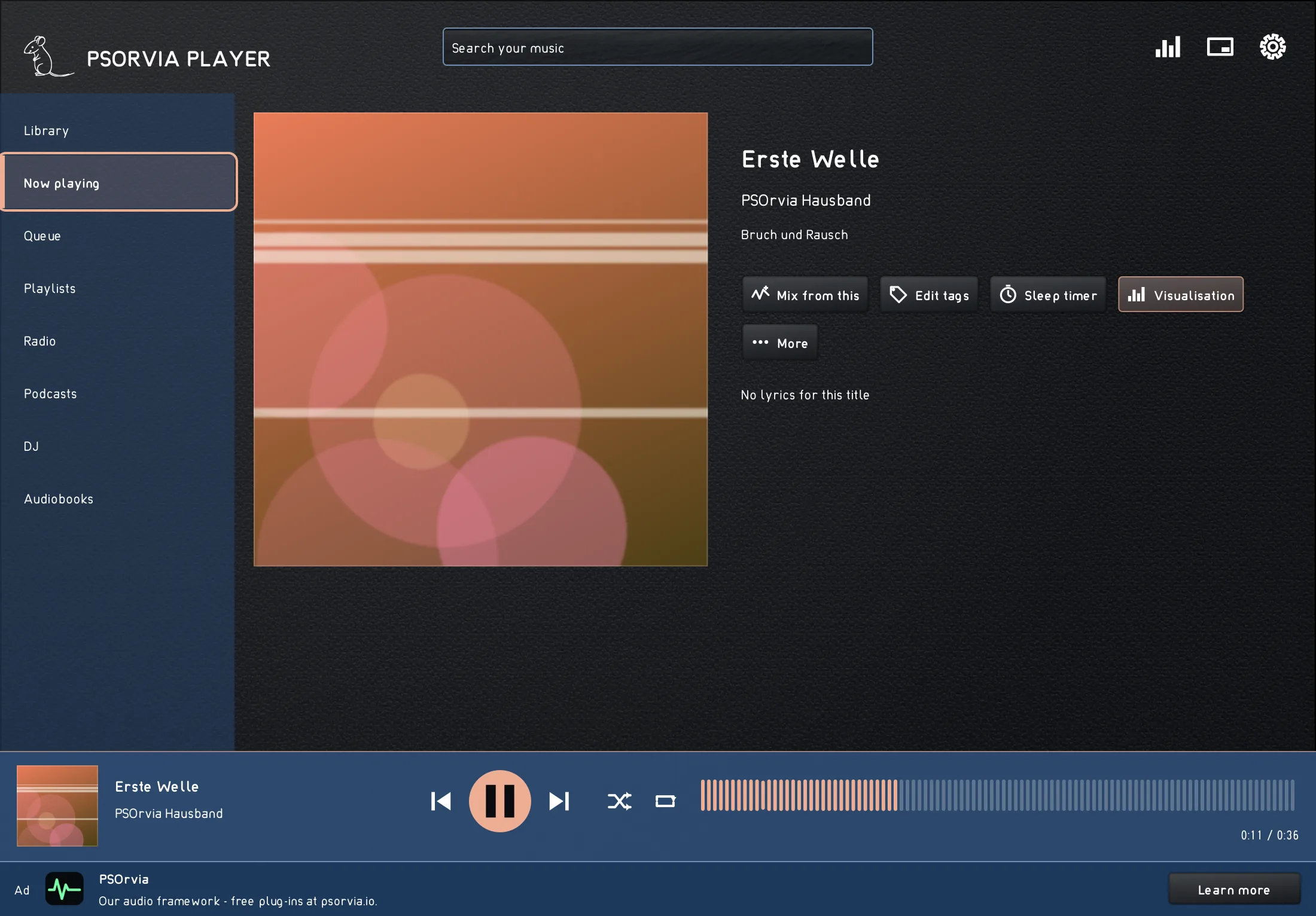
- The colour of the window follows the cover. Lyrics with time marks are highlighted line by line.
- 30 themes in three tabs, Light, Dark and Colourful, most of them named after a material such as metal, leather, wood or marble. One click and the whole window changes. Or let the system decide between light and dark.
RADIO AND ALARM
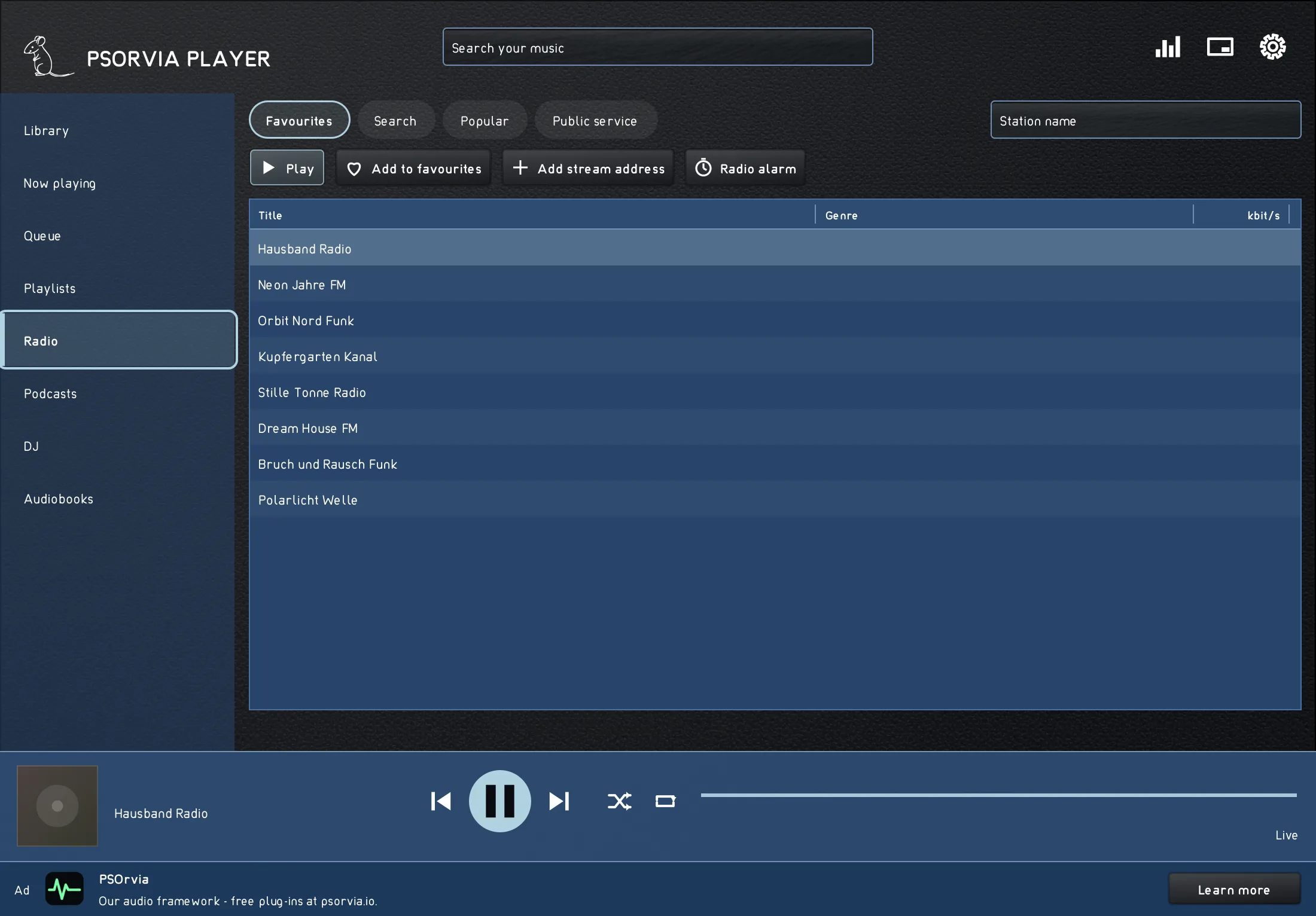
- Internet radio with favourites and your own stream addresses, plus a radio alarm that wakes you with a station. The player plays MP3, AAC, Ogg Opus and Ogg Vorbis streams.
PODCASTS
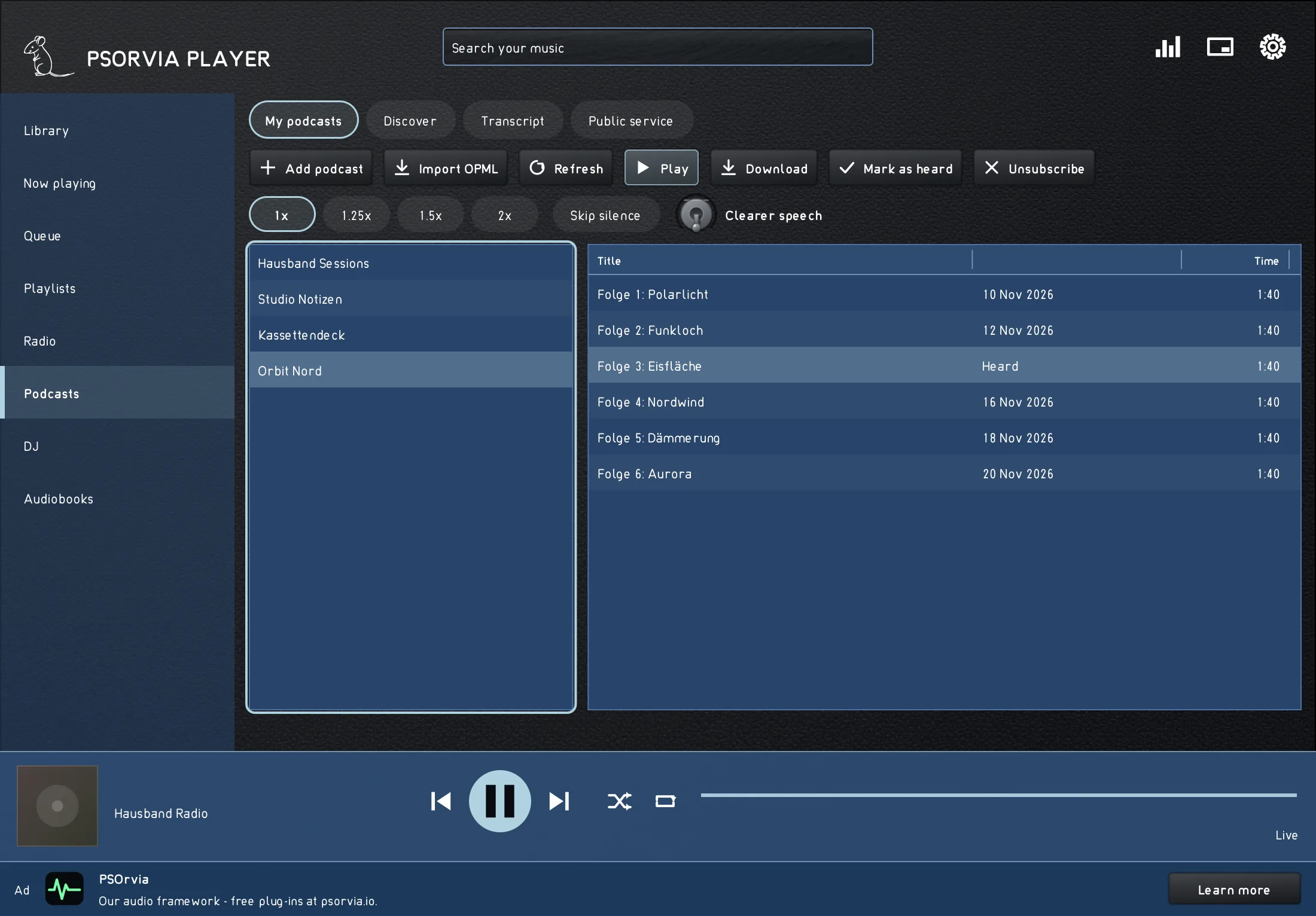
- Subscribe by feed address or OPML file, download episodes, listen faster (up to 2x) and skip silences. Transcripts are shown where the feed provides them.
CONTINUE ON ANOTHER DEVICE
- Stop on one computer and carry on at the same place on the other, through your own WebDAV folder. Nothing goes to us.
DJ AND AUDIOBOOKS
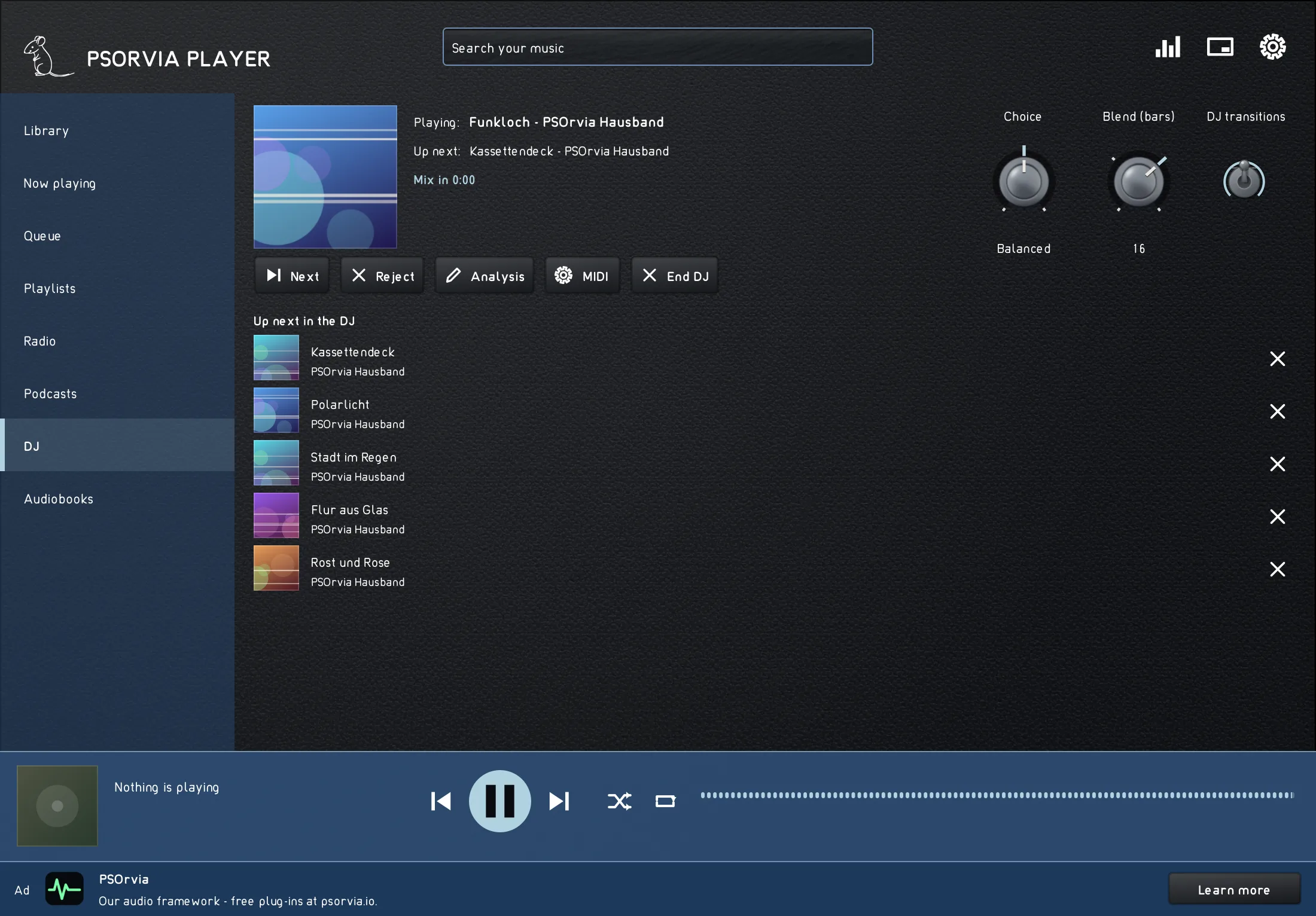
- "What do you feel like?": the DJ picks tracks by mood, energy and tempo from your own library and mixes them into each other. The analysis runs on your computer.
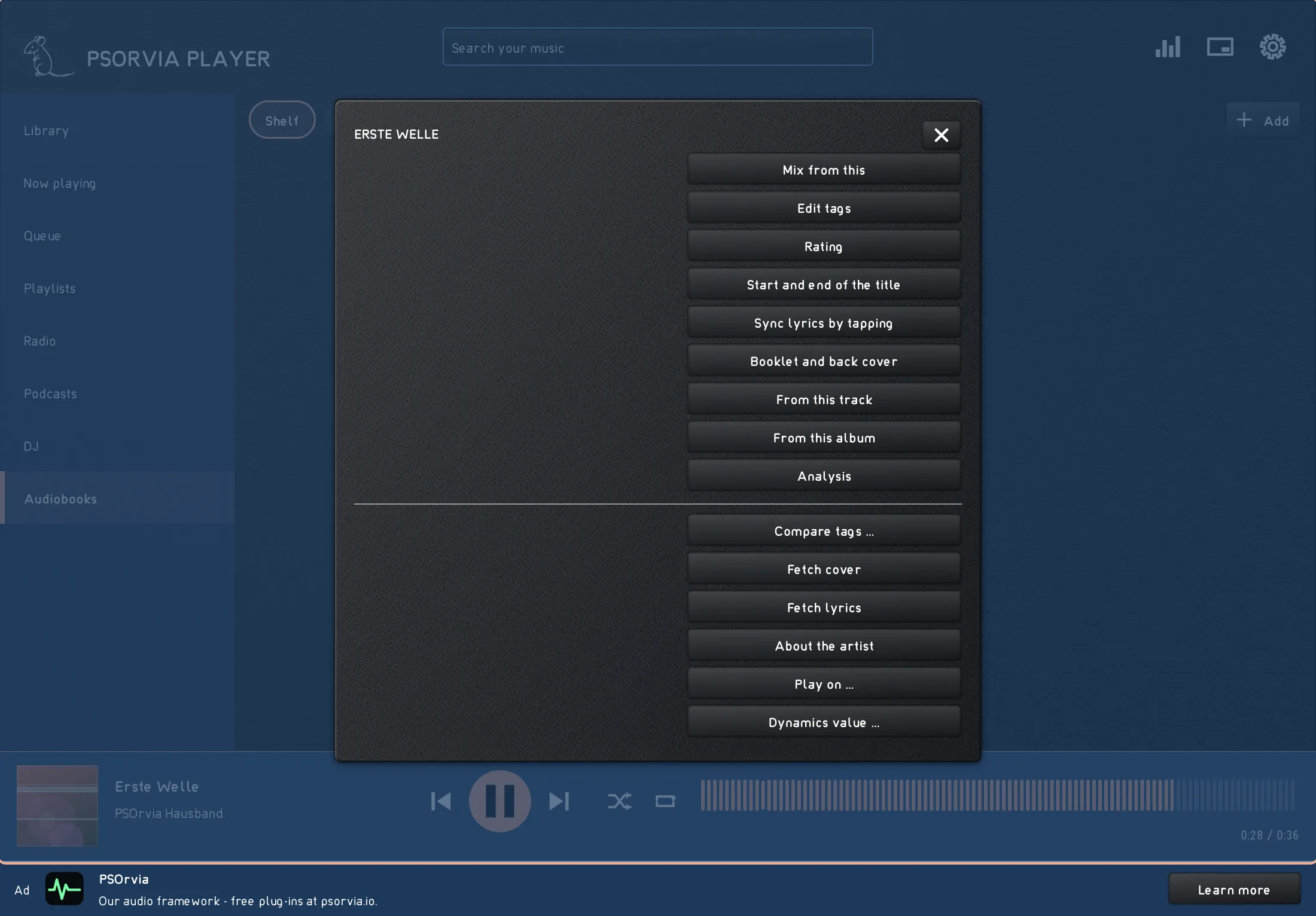
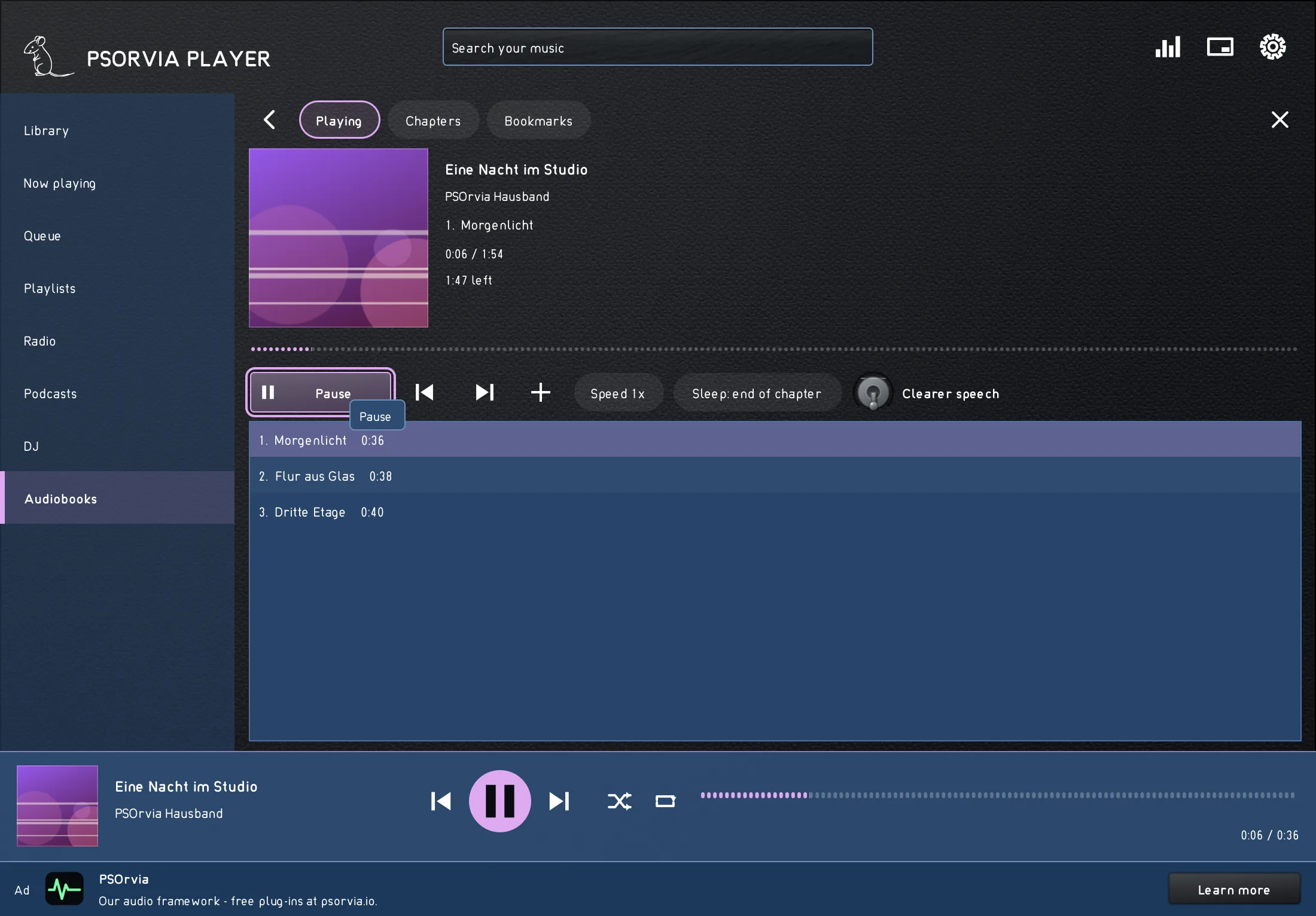
- Audiobooks with a shelf, chapters, bookmarks, speed and a sleep timer that stops at the end of the chapter.
VISUALISATIONS
- 56 forms in six groups: classic, colourful, cosy (fireplace, rain on the window), futuristic (neon horizon, orbit, hologram sphere), nature and patterns.
LIGHT IN THE ROOM
- Lamps and light strips move with your music: calm (slow swells, never a flash) or lively (following the beat). Supported are WLED, Hyperion and HyperHDR (they receive only the colour of the scene, never a video picture), LIFX, Govee, Yeelight, LED matrices, DMX stage lights (sACN, Art-Net) and the lighting of your own computer. Everything stays in your home network and is off until you switch it on.
SMALL WHEN YOU WORK
- A mini player, media keys and a sleep timer. Every function can also be reached by touch.
MUSIC FROM YOUR NETWORK
- Network shares on Linux: Samba (SMB), NFS, SFTP, FTP, WebDAV, Nextcloud and ownCloud, added like a folder. If a share is offline, its tracks stay in the library, greyed out.
- Your own media servers: Jellyfin, Plex and OpenSubsonic as music sources, Audiobookshelf for audiobooks. They connect only after you have entered your server and switched them on. All names belong to their owners.
FORMATS
- Music: WAV, AIFF, FLAC, MP3, Ogg Vorbis, Opus, ALAC and M4A. For AAC the sound comes from a decoder of your system (on Linux, ffmpeg if installed). CUE sheets are read.
- Audiobooks: M4B, folders of audio files, MP3 with chapter marks. Podcasts: RSS and OPML. Radio: MP3, AAC (also HE-AAC), Ogg Opus and Ogg Vorbis streams; AAC needs ffmpeg.
- DSD (DSF and DFF) plays as PCM or as DoP. WavPack, Monkey's Audio, True Audio, AC-3, MIDI and the sound track of video files play too, more than 40 file extensions in all. Many of them are read by decoders we wrote ourselves.
QUESTIONS
Why is it free?
PSOrvia Player is free of charge. A slim strip in the window points to other Petit Souris products; it uses a signed catalogue and no tracking. Nothing is sold, and no data goes to third parties.
Can I stream music from a streaming service?
No, deliberately. PSOrvia Player plays your own files, internet radio, podcasts and, if you have one, your own music server (OpenSubsonic).
Which systems does it run on?
Linux, Windows, macOS and Android. The first Windows version carries no code signature, so Windows SmartScreen shows a notice before the first start.
Which languages does it speak?
29 languages. The language of your system is used; you can change it at any time.
Who is behind it?
Petit Souris, appspetit-souris.de.
In numbers, and without catches
Counted
- 30 colour themes
- 56 visualisations
- 29 interface languages
- 29 manual languages
Without catches
- No account needed
- No telemetry: no tracking or analytics components in the source code
- No advertising networks
- No crash reports sent over the network
- Free of charge
The numbers are counted automatically from the program files each time the site is built, not typed in. The statements on the right are checked against the source code and the privacy text of the product.
Download
PSOrvia Player is free. Choose your system; the checksum (SHA-256) lets you check that the file arrives unchanged.
Version 1.0.3
-
Linux · psorvia-player-1.0.3-linux-x64-setup.run · Size: 64.5 MBDownload
Checksum (SHA-256):
95769694c3ca0c05310c7430088644ab629c8fd07658ff30ec0eedf4d9f31f9f64-bit (x86_64), from Ubuntu 22.04, Debian 12 and Fedora 36 (glibc 2.35), X11 or XWayland. After downloading, make the file executable once (chmod +x or right-click → run as program).
-
Windows · psorvia-player-1.0.3-win-x64-setup.exe · Size: 67.6 MBDownload
Checksum (SHA-256):
de62f4b12828f941107b63007f268aa661c7b012380010ff25d3ebbfa68672d2Windows 10 or 11, 64-bit. On first start, SmartScreen may show “Unknown publisher” because the setup does not have a Windows signature yet: “More info → Run anyway”.
-
macOS · psorvia-player-1.0.3-mac-setup.zip · Size: 100.9 MBDownload
Checksum (SHA-256):
6c67890f6a11419ca22ae649ae602d4d6e8e7ac4c1651383469c3808f3f3ef77macOS 10.15 or newer, Apple Silicon and Intel, signed and notarized by Apple. The setup is a .zip file: unzip it, then open “PSOrvia … Setup”.
Android: through Google Play, as soon as the player appears there.
The first Windows version does not carry a code signature yet, so Windows SmartScreen shows a notice before the first start.