Learn · PSOrvia Player
Saving quiet fade-outs: bit depth and dither
You hear the same piece at 12 and 8 bits, without and with dither, and learn why a quiet fade-out crackles or falls silent when the bit depth is cut, and how dither saves it.
- Difficulty
- medium
- Duration
- approx. 10 minutes
- You need
- PSOrvia Player
Cheat sheet · All steps and values on one page, print-friendly.
The audio example at the end
This is what the final state sounds like. Below it you can download the file in lossless form.
The audio example at the end
Keyboard: Space plays or pauses, arrow keys jump 5 seconds, Home and End go to start and end.
Every value of a digital sound is rounded to a step on a ladder. How many steps there are is given by the bit depthHow many steps a digital sound has for each value: 16 bits are 65,536 steps, 8 bits only 256. The fewer the steps, the larger the rounding error.: 16 bits are 65,536 steps, 8 bits only 256. The rounding is called quantizationThe rounding of every value to the nearest step of the bit depth. The quieter the sound, the more audible the rounding error., and its error depends on the sound. With loud music it is lost in the piece; in a quiet fade-out it turns into distortionAn error that follows the sound and adds components that were not there before. It sounds rough or grainy, not like even noise.. A ditherA breath of noise added before the rounding. It turns the rounding error into even noise, so quiet sounds stay audible. is a breath of noise added before the rounding that turns this distortion into even noise. Here you hear the same piece, which fades out quietly, at 12 and 8 bits without dither, then with TPDF ditherDither with a triangular distribution, the sum of two random values, about one step in size. Its noise is independent of the sound. and finally with noise shapingMoves the dither's noise out of the frequencies where the ear is sensitive into higher ones. Overall there is more noise, but it disturbs less.. 12 and 8 bits are deliberately coarser than anything the player outputs, so that you can hear the difference even without special equipment.
Headphones or good speakers at moderate volume. Pay special attention to the last seconds: there the level is 30 to 60 dB below the peak, and that is exactly where every error stands out. All listening examples are set to the same loudness, the peaks stay below −3 dBTP, and nothing is overdriven.
Your progress
Only remembered in your browser, nothing is sent.
For comparison
Starting state: unchanged (Float)
Keyboard: Space plays or pauses, arrow keys jump 5 seconds, Home and End go to start and end.
-
Step 1: 12 bits without dither: the error is small, but it is there
The starting state has all the steps the sound needs; it is unchanged. In the first step it is rounded to 12 bits, without dither: every value jumps to the nearest of 4,096 steps. The error measures about −77 dBFS. In the loud part it is inaudible, but the fade-out ends at around −60 dBFS, and there the error is only about 17 dB quieter than the sound itself. This is quantization: the error follows the sound and is therefore heard as slight roughness rather than as noise. The coarsest setting in the player is 16 bits; there the error is about −101 dBFS, a good 24 dB lower than here, and with music you hardly hear it. That is why the examples in this lesson are coarser than the player ever outputs.
Audio example
Almost like the original. If you listen to the last seconds at high volume, you will find the fade-out a little rough and grainy.
The “Difference” view colors what is added: the error stays faint and lies far below the sound.
Step 1: 12 bits without dither: the error is small, but it is there
0:00Keyboard: Space plays or pauses, arrow keys jump 5 seconds, Home and End go to start and end.
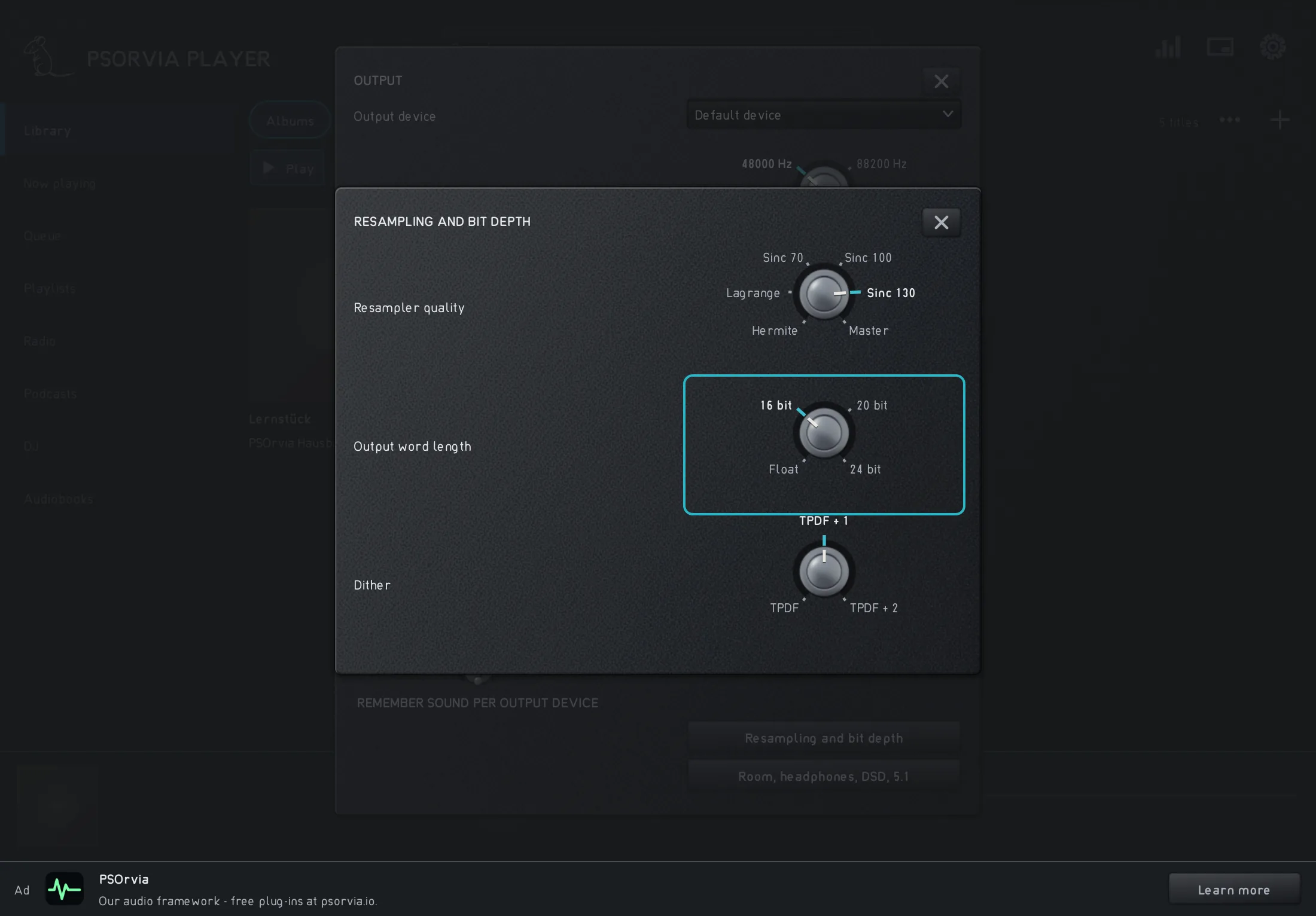
The “Output bit depth” row in the player set to 16 bits; “Float” leaves the signal untouched, and 20 and 24 bits round more finely. -
Step 2: 8 bits without dither: the fade-out falls silent
At 8 bits the sound has only 256 steps left. The error is now about −54 dBFS and clearly audible in the quiet part, but above all in the fade-out: as soon as the sound becomes smaller than half a step, every value rounds to zero. The fade-out breaks off at around 10.5 seconds although the original keeps sounding for about another second, and before that you hear it break away step by step. This is the quantization distortionAn error that follows the sound and adds components that were not there before. It sounds rough or grainy, not like even noise.: it arises only with this sound and therefore sounds unpleasant, not like noise.
Audio example
The sound seems coarser, and the quiet part crackles. The fade-out becomes grainy and breaks off before it is over.
In the “Spectrum” you see how the fade-out ends earlier at the top than in the original; the “Difference” colors the cut-off fade-out.
Step 2: 8 bits without dither: the fade-out falls silent
0:00Keyboard: Space plays or pauses, arrow keys jump 5 seconds, Home and End go to start and end.
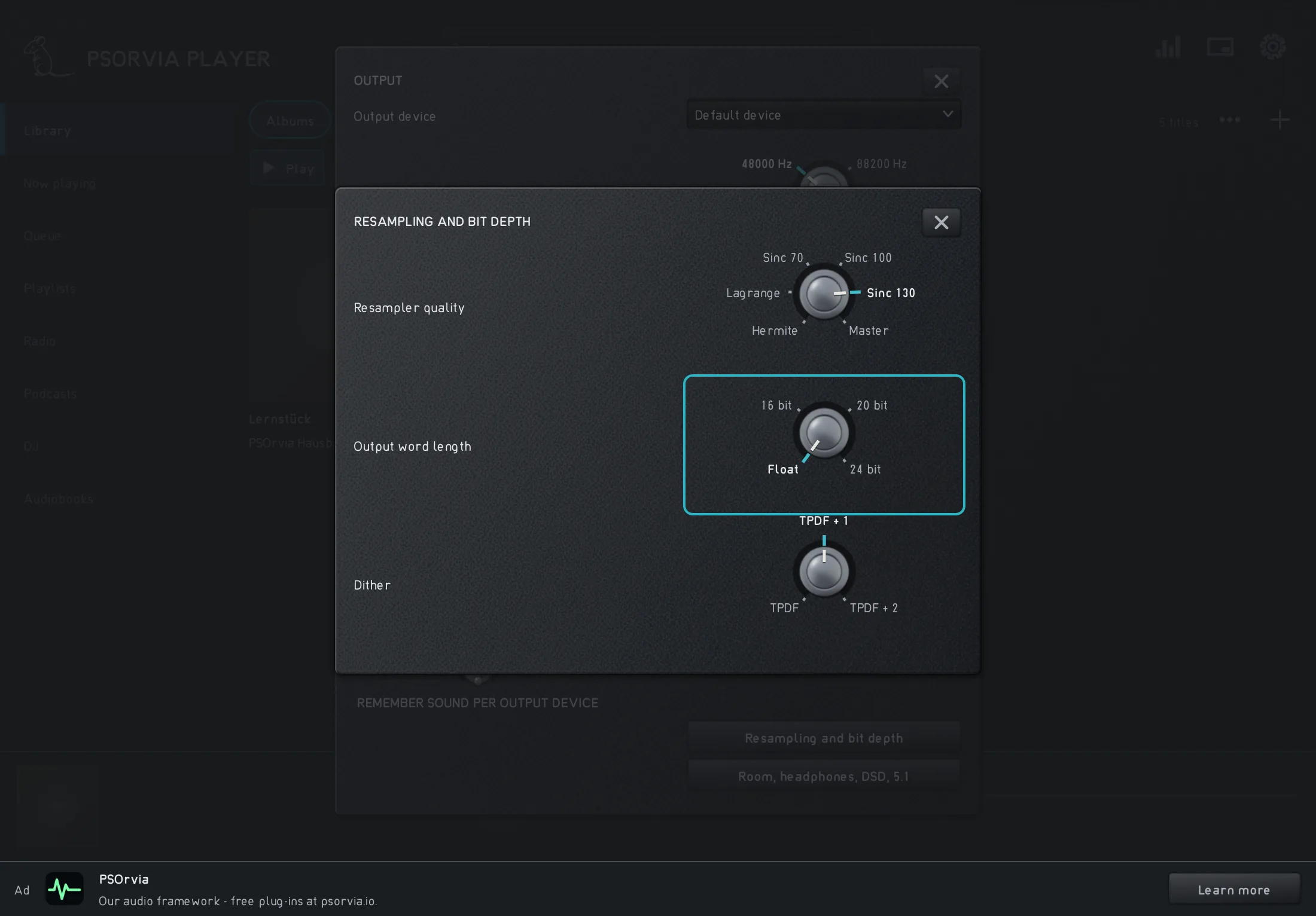
The “Output bit depth” row set to “Float”: the player then does not round. When it does round, a dither is always included in the player; you hear the distortion of this setting only here. -
Step 3: 8 bits with TPDF dither: noise instead of distortion
Now a TPDF ditherDither with a triangular distribution, the sum of two random values, about one step in size. Its noise is independent of the sound. is added before the rounding, a noise about the size of one step that does not depend on the sound. This makes the error larger, about −48 dBFS measured, but it sounds even, like noise: the fade-out no longer breaks off and runs to the end. It is still buried in the noise, even if it is quieter than one step. That is the trick: the ear can hear a signal within noise, but it cannot tune out distortion well. In the player every bit depth except “Float” rounds this way, with “TPDF” in the “Dither” row.
In the player Settings › Output › Conversion and bit depth › Dither TPDF Audio example
It hisses evenly, but the fade-out stays audible to the end, without crackling or breaking off.
In the “Spectrum” the noise lies as a smooth area across all frequencies. With “Wiper” you drag the dividing line across the spectrograms of step 2 and 3: where there was emptiness in the fade-out before, there is now noise.
Step 3: 8 bits with TPDF dither: noise instead of distortion
0:00Keyboard: Space plays or pauses, arrow keys jump 5 seconds, Home and End go to start and end.
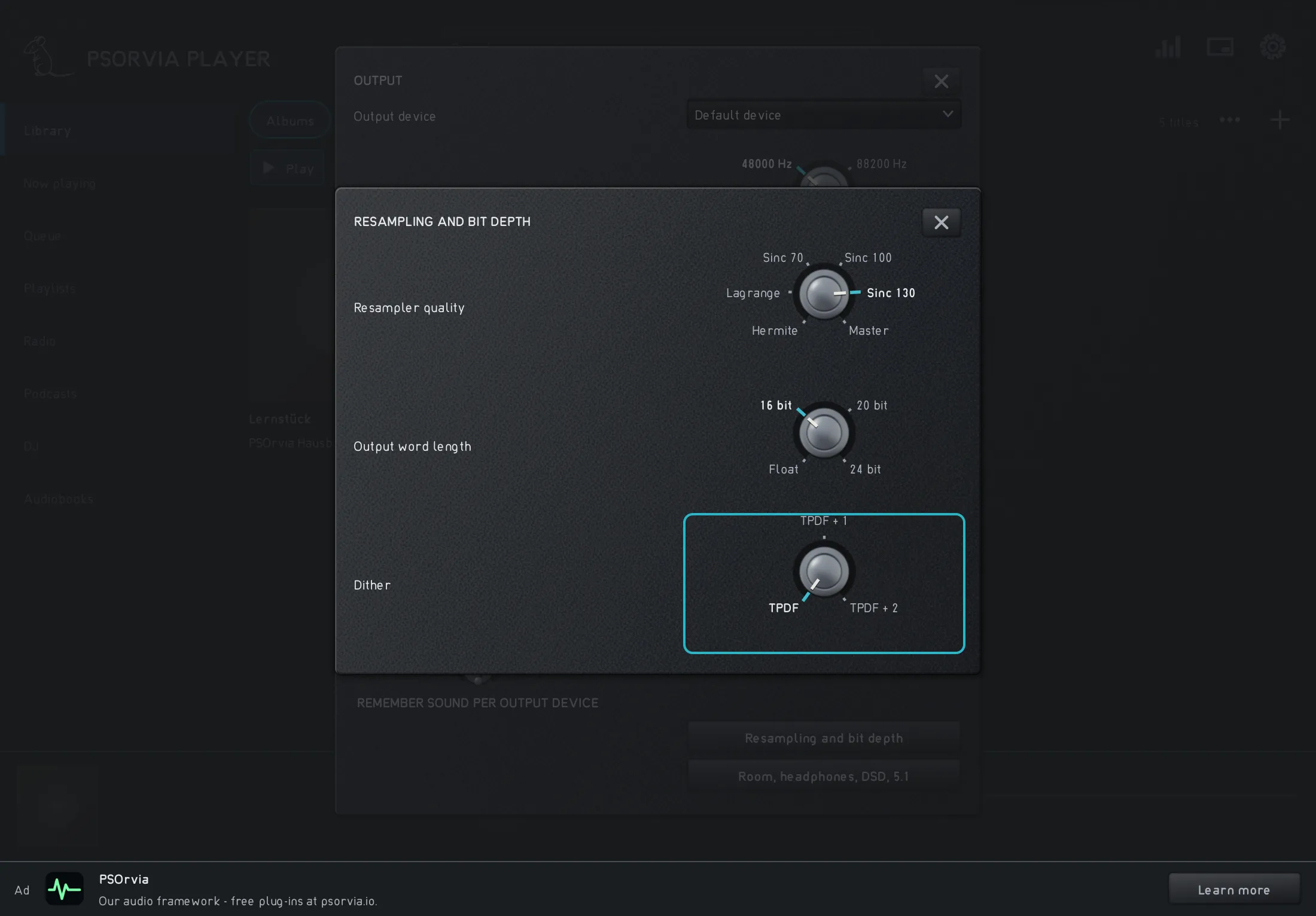
The “Dither” row in the player is set to “TPDF”: rounding with triangular dither, without noise shaping. -
Step 4: 8 bits with noise shaping: the noise moves into the highs
Noise shapingMoves the dither's noise out of the frequencies where the ear is sensitive into higher ones. Overall there is more noise, but it disturbs less. pushes the noise to where the ear is less sensitive, into the high frequencies. At second order it takes about 17 dB out of the mids (1 to 4 kHz) and puts about 6 dB on top in the highs (8 to 16 kHz). Overall there is more noise, about −40 dBFS measured, but the fade-out stays calmer in the most sensitive range. In the player you can choose “TPDF + 1” (first order) and “TPDF + 2” (second order); the default is first order.
In the player Settings › Output › Conversion and bit depth › Dither TPDF + 2 Audio example
The noise sounds brighter and less disturbing in the mids; the fade-out is preserved. In return there is more hiss in the highs.
The “Spectrum” shows it most clearly: the noise tilts from a smooth area into a rise toward the right. In the “Difference” the colors lie in the range of the highs.
Step 4: 8 bits with noise shaping: the noise moves into the highs
0:00Keyboard: Space plays or pauses, arrow keys jump 5 seconds, Home and End go to start and end.
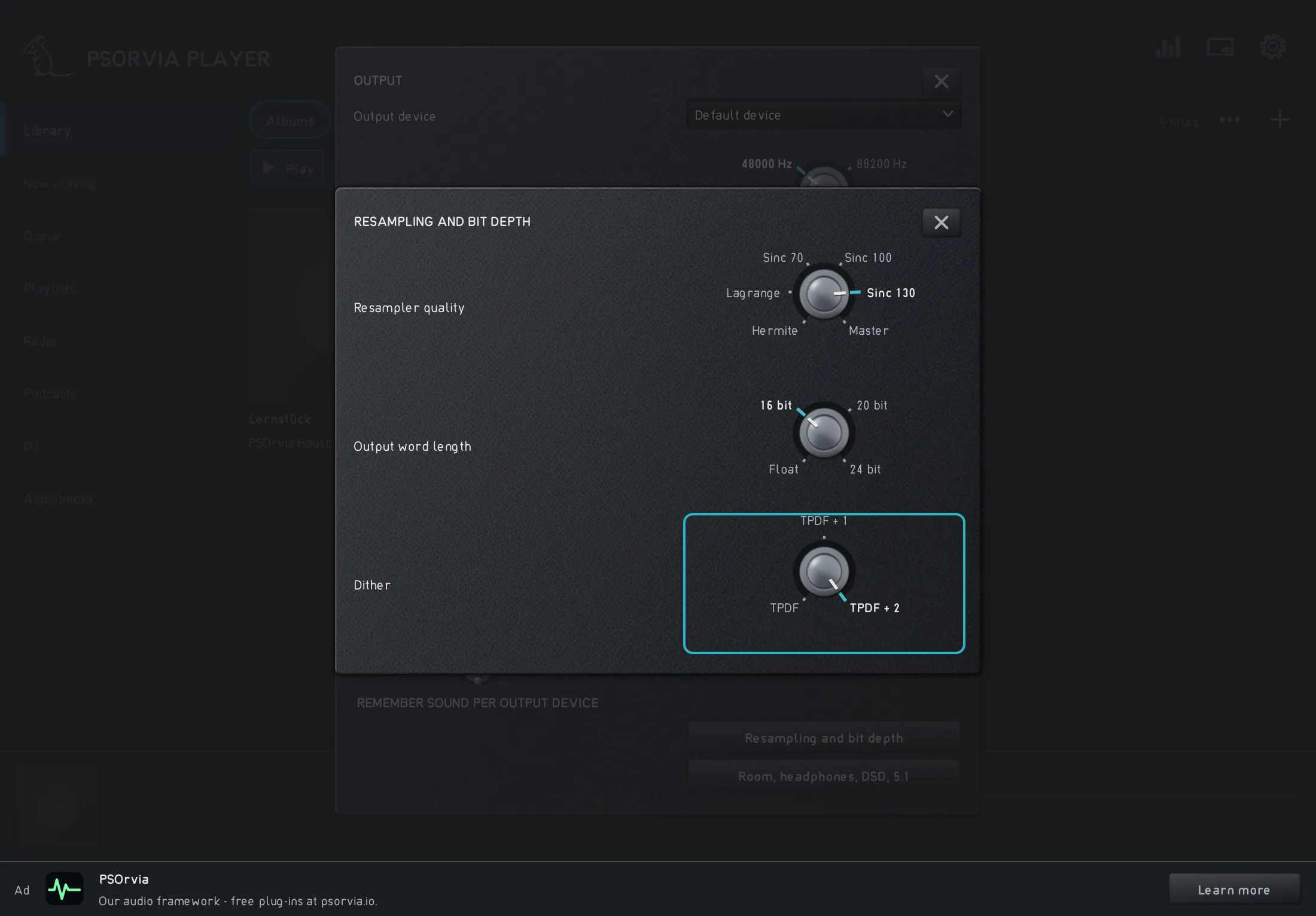
The “Dither” row in the player is set to “TPDF + 2”: dither with second-order noise shaping.


Listening quiz
Can you hear which step is behind it? Listen to the three sounds and choose the one that belongs to the named step. None of this is saved.