Learn · PSOrvia Player
What is missing after compressing: lossless and lossy
You hear the same piece lossless and in four levels of a lossy format, and you see in the difference what is missing.
- Difficulty
- medium
- Duration
- approx. 10 minutes
- You need
- PSOrvia Player
Cheat sheet · All steps and values on one page, print-friendly.
The audio example at the end
This is what the final state sounds like. Below it you can download the file in lossless form.
The audio example at the end
Keyboard: Space plays or pauses, arrow keys jump 5 seconds, Home and End go to start and end.
A losslessA format that returns the sound as it was, value for value, for example FLAC. The file is smaller than uncompressed, but not small. format such as FLAC returns every value exactly as it was. A lossyA format that leaves out parts that the ear hears poorly, for example Opus. The file becomes much smaller, but what was left out does not come back. format such as Opus throws away parts that the ear hears poorly, and therefore needs much less space. The lower the bitrateHow much data per second a lossy format uses for the sound, measured in kbit/s. The lower, the smaller the file and the more is missing., the more is missing. Here you hear the same piece lossless and then at 96, 48, 24 and 12 kbit/s, encoded with the PSOrvia Opus encoder and converted back with the PSOrvia decoder. The “Difference” view shows you what is lost.
Headphones or good speakers. Each level is also available as a real Opus file to download; the player plays it. The audio examples are not brought to equal loudness: the lower the bitrate, the slightly quieter the piece gets, because parts are missing.
Your progress
Only remembered in your browser, nothing is sent.
For comparison
Starting point: lossless
Keyboard: Space plays or pauses, arrow keys jump 5 seconds, Home and End go to start and end.
-
Step 1: 96 kbit/s: hardly audible
The starting point is losslessA format that returns the sound as it was, value for value, for example FLAC. The file is smaller than uncompressed, but not small., every value as at rendering. The first level is an OpusAn open, lossy audio format (RFC 6716) for music and speech, good at low bitrates. PSOrvia has its own encoder and decoder. file at 96 kbit/s, roughly a tenth of the data size of the original. Many people hear no difference here. The “Difference” view nevertheless shows that something is missing, above all very quiet parts and the topmost highs. You can test this yourself in the player: “Listen for approval” (Settings › Extras) plays versions switchably at the same spot and has an ABX test in which you guess eight times whether X is the same as A or B.
In the player File format Opus Bitrate when encoding 96 kbit/s Audio example
Hardly any difference from the lossless original. Anyone listening closely may find slightly less shine on the cymbals.
The “Difference” view colors what is missing or added: at 96 kbit/s almost everything stays calm. “Wiper” shows both spectrograms side by side.
Step 1: 96 kbit/s: hardly audible
0:00Keyboard: Space plays or pauses, arrow keys jump 5 seconds, Home and End go to start and end.
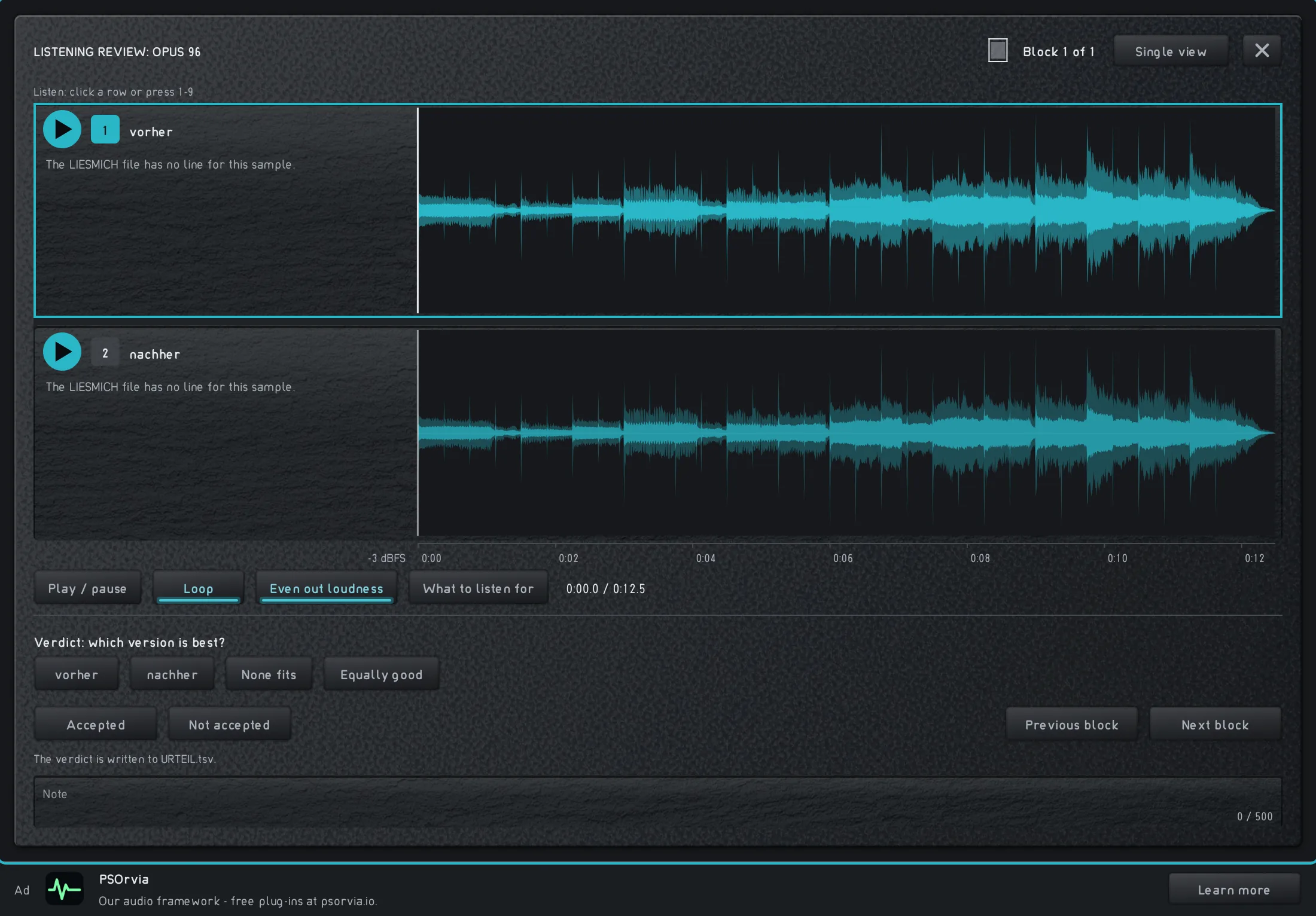
“Listening review” in the player: the lossless original and the Opus version at 96 kbit/s as waveforms. -
Step 2: 48 kbit/s: the highs get thin
Half the bitrateHow much data per second a lossy format uses for the sound, measured in kbit/s. The lower, the smaller the file and the more is missing., half the data size. The encoder must now decide what it keeps, because the lossyA format that leaves out parts that the ear hears poorly, for example Opus. The file becomes much smaller, but what was left out does not come back. method never gives back what was left out. It saves first on parts that are quiet or that sit next to louder ones. You see it in the spectrogram as areas getting darker in the highs.
In the player File format Opus Bitrate when encoding 48 kbit/s Audio example
The sound is still pleasant, but a little duller. Cymbals and glockenspiel lose shine.
With “Wiper” you drag the dividing line across the spectrograms of 96 and 48 kbit/s: at the top right, in the highs, it gets darker.
Step 2: 48 kbit/s: the highs get thin
0:00Keyboard: Space plays or pauses, arrow keys jump 5 seconds, Home and End go to start and end.
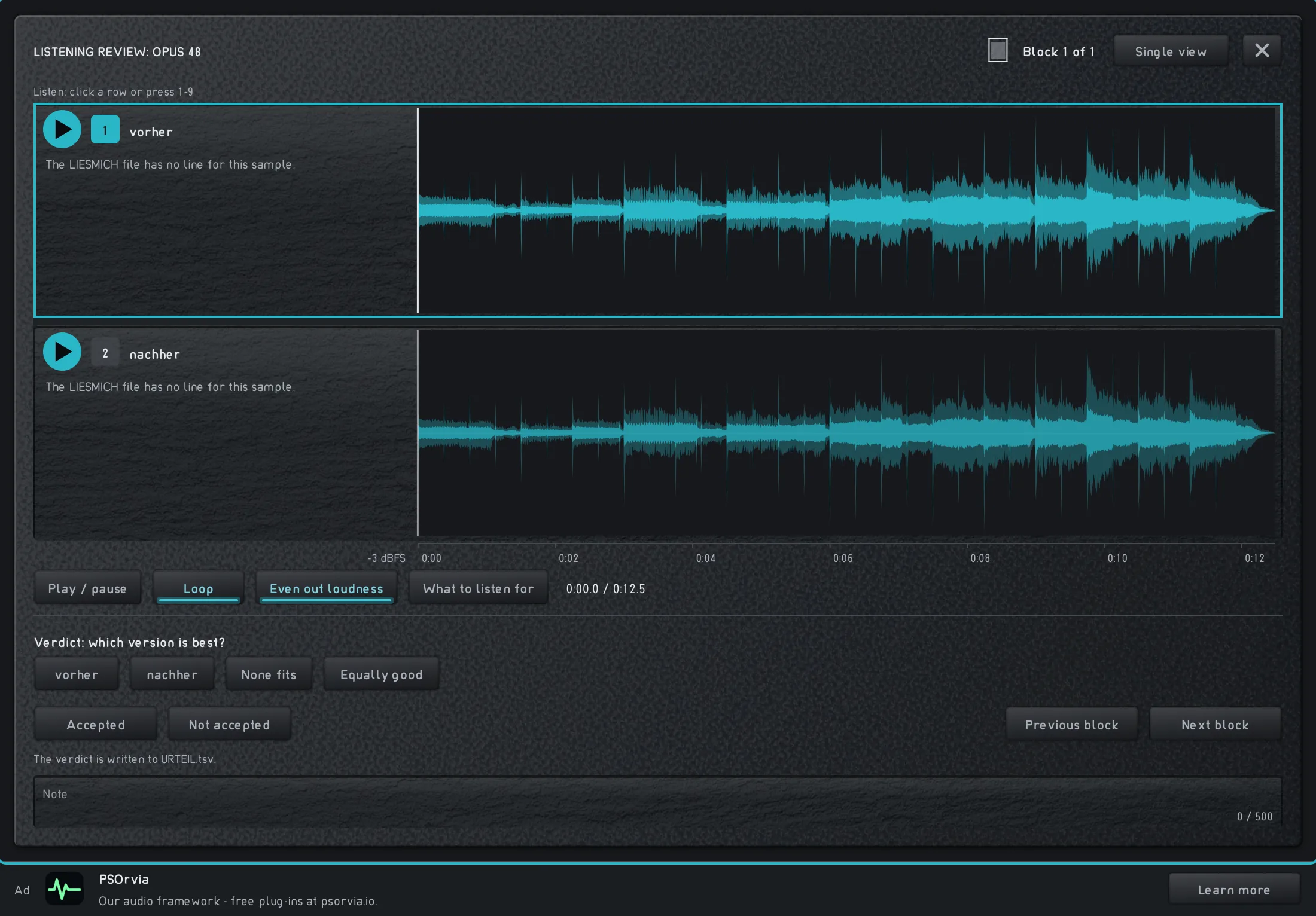
“Listening review” in the player: the lossless original and the Opus version at 48 kbit/s as waveforms. -
Step 3: 24 kbit/s: veil and gaps
At 24 kbit/s the encoder is left with only a small part of the data. It cuts off the high frequencies and reproduces the rest more coarsely. The difference is now clear: the piece loses shine, transients such as the hits get softer, and a veil settles over the sound.
In the player File format Opus Bitrate when encoding 24 kbit/s Audio example
Dull and somewhat smeared. The drum hits have less bite, the highs are almost gone.
“Difference” now colors large areas; the “Spectrum” shows that the curve falls off above a few kHz. The “Waterfall” shows the missing highs as low hills.
Step 3: 24 kbit/s: veil and gaps
0:00Keyboard: Space plays or pauses, arrow keys jump 5 seconds, Home and End go to start and end.
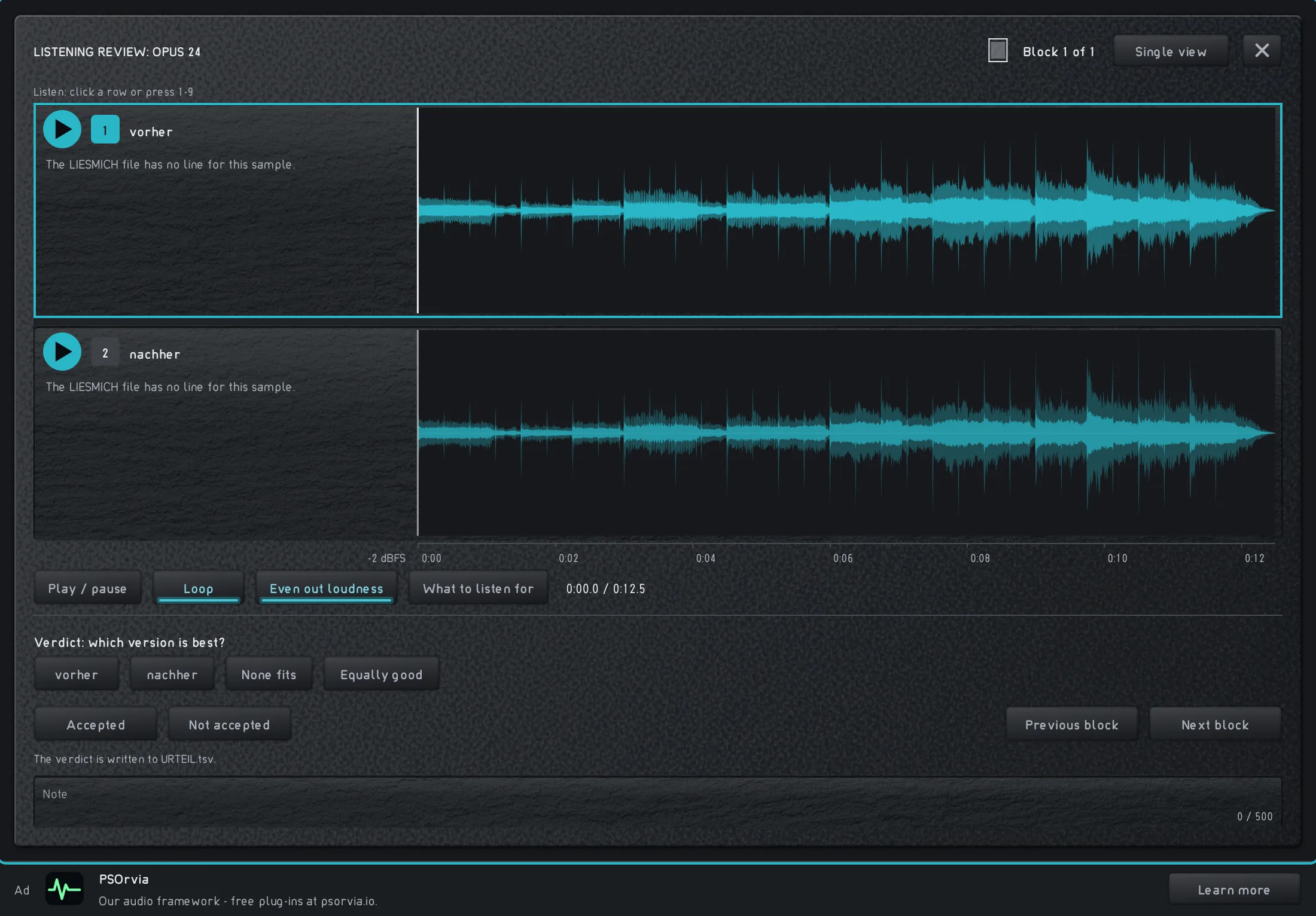
“Listening review” in the player: the lossless original and the Opus version at 24 kbit/s as waveforms. -
Step 4: 12 kbit/s: only the framework is left
At 12 kbit/s the limit is reached. For comparison: FLACAn open, lossless audio format: the file is smaller than uncompressed and still returns every value. returns every value, but needs many times the data. The encoder narrows the bandwidth, keeps only the loudest parts, and the piece sounds as if through a telephone. For speech so little is often enough, for music it is too little. This is how you hear what the bitrate is good for: it is the price you pay for space and data volume.
In the player File format Opus Bitrate when encoding 12 kbit/s Audio example
Narrow and tinny. The bass is there, the highs are largely missing, and everything sounds somewhat tinted.
The “Spectrum” breaks off above a few kHz; the “Difference” shows how much is missing. “Afterglow” shows during playback that the highs stay empty.
Step 4: 12 kbit/s: only the framework is left
0:00Keyboard: Space plays or pauses, arrow keys jump 5 seconds, Home and End go to start and end.
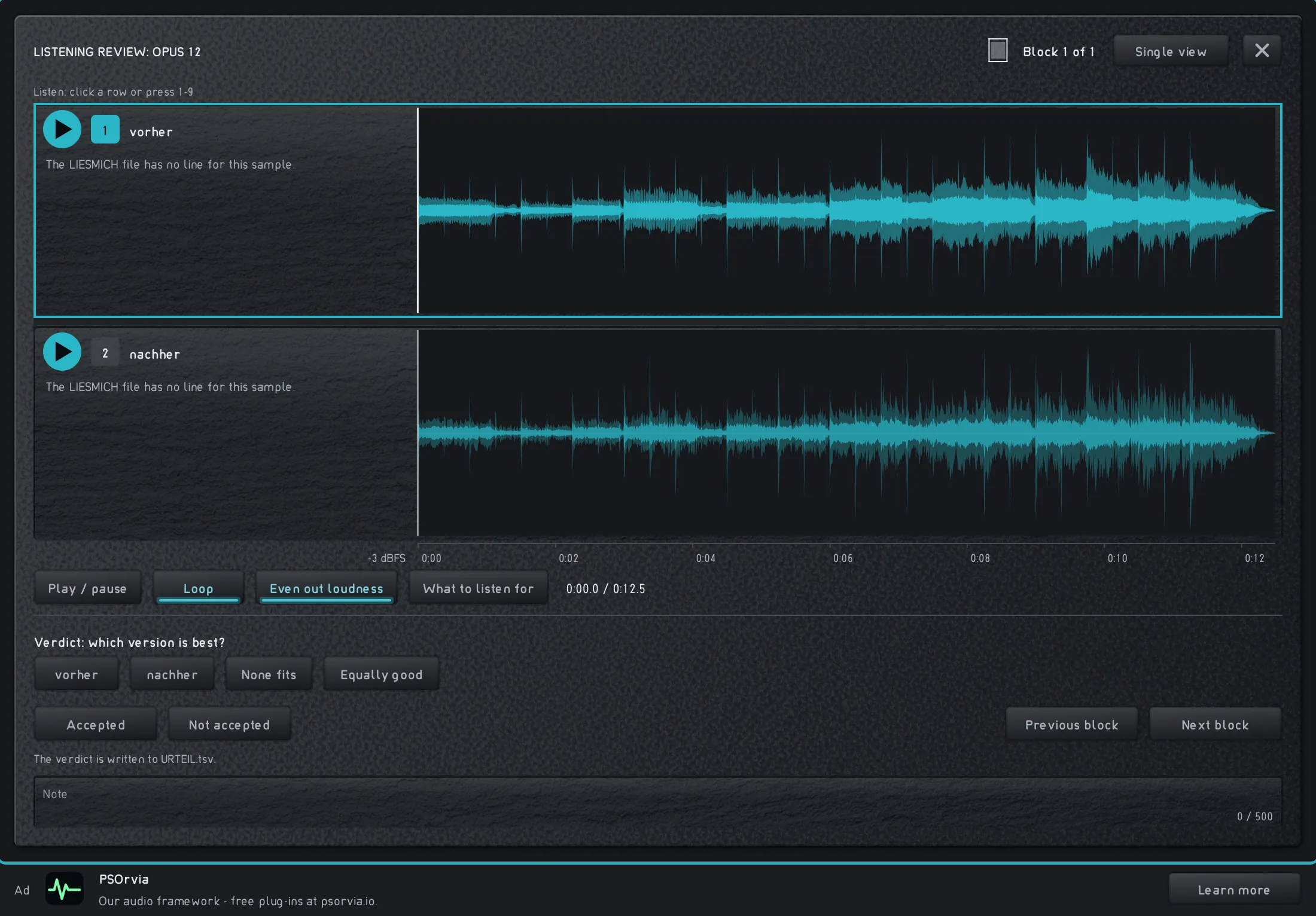
“Listening review” in the player: the lossless original and the Opus version at 12 kbit/s as waveforms.


Listening quiz
Can you hear which step is behind it? Listen to the three sounds and choose the one that belongs to the named step. None of this is saved.