Learn · PSOrvia Player
Louder is not better: loudness and dynamics
You hear the same piece quiet, louder and heavily compressed, and you learn why you may only compare sounds at equal loudness and what dynamics are.
- Difficulty
- medium
- Duration
- approx. 10 minutes
- You need
- PSOrvia Player
Cheat sheet · All steps and values on one page, print-friendly.
The audio example at the end
This is what the final state sounds like. Below it you can download the file in lossless form.
The audio example at the end
Keyboard: Space plays or pauses, arrow keys jump 5 seconds, Home and End go to start and end.
The ear almost always takes the louder one to be better. That is why in a comparison the sound that is only a few decibels higher in level often wins. LoudnessHow loud a sound arrives in the ear. It is not measured at the peak, but averaged over the whole piece and weighted according to hearing (ITU-R BS.1770). measures how loud a piece arrives in the ear (according to ITU-R BS.1770, in LUFSThe unit of loudness: Loudness Units relative to full scale. The closer to 0, the louder; a quiet piece sits at −23, a very loud one at −9.). DynamicsThe distance between the quiet and the loud passages of a piece. If a piece is compressed, it shrinks. is the distance between quiet and loud passages. Anyone who wants to make a piece louder without overloading it compresses it with a compressorA tool that makes loud passages quieter. Afterwards the whole piece can be made louder without overloading. Dynamics are lost in the process. and thereby takes dynamics away. Here you hear the same piece in five states. Unlike in the other guides, they are deliberately not equally loud; the loudness is given at every step.
Headphones or speakers at moderate volume: one audio example is clearly louder than the first. The peaks of all examples stay below −1 dBTP, nothing is overloaded.
Your progress
Only remembered in your browser, nothing is sent.
For comparison
Starting point: quiet, with a lot of dynamics
Keyboard: Space plays or pauses, arrow keys jump 5 seconds, Home and End go to start and end.
-
Step 1: Just louder
The starting point has a loudnessHow loud a sound arrives in the ear. It is not measured at the peak, but averaged over the whole piece and weighted according to hearing (ITU-R BS.1770). of about −23 LUFSThe unit of loudness: Loudness Units relative to full scale. The closer to 0, the louder; a quiet piece sits at −23, a very loud one at −9. and leaves a lot of room. In the first step it is just made louder, by about 5 dB, nothing else changes. Listen closely: many people take this version to be “better”, yet it is the same music. That is why you should only compare versions at equal loudness.
Audio example
The same sound, clearly louder. The rise from the quiet to the loud bars is preserved.
The “Level” view shows both curves over time; the line below states by how many dB the second sound is louder on average.
Step 1: Just louder
0:00Keyboard: Space plays or pauses, arrow keys jump 5 seconds, Home and End go to start and end.
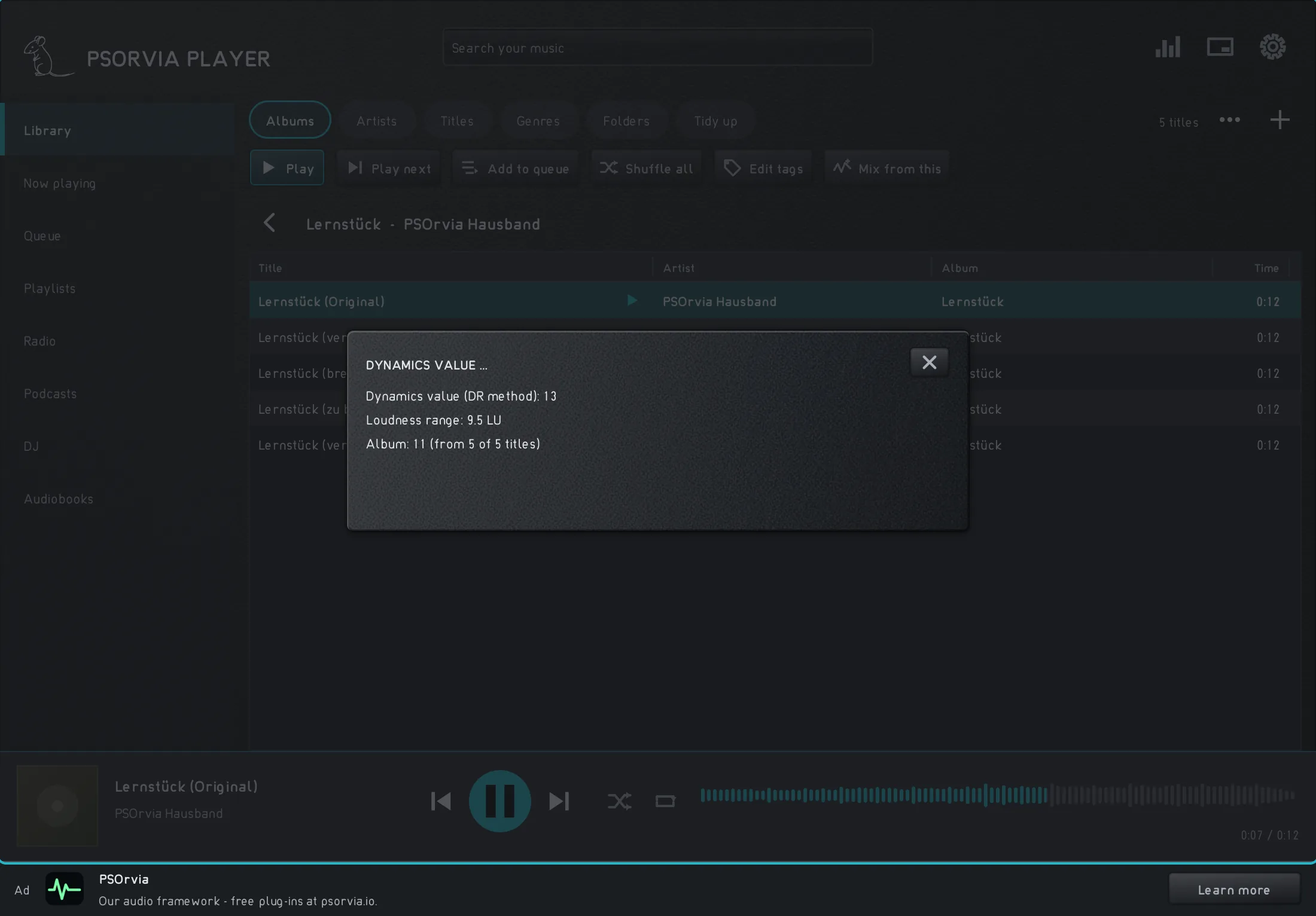
The track menu “Dynamic value …” for the original: dynamic value, loudness range and the album value. -
Step 2: Heavily compressed: loud, but flat
Now the piece is brought to about −12 LUFS with a compressorA tool that makes loud passages quieter. Afterwards the whole piece can be made louder without overloading. Dynamics are lost in the process. and a limiter, without overloading. The quiet passages rise, the loud ones are held back, and the distance between them, the dynamicsThe distance between the quiet and the loud passages of a piece. If a piece is compressed, it shrinks., shrinks. In the player, the track menu shows under “Dynamic range …” the dynamic range value of a track and its loudness range. The smaller both values are, the flatter the piece.
In the player Track menu (right-click or “More”) Titelmenü Audio example
The piece is loud and dense. The build-up from the quiet first bar to the loud last bar is almost gone; everything pushes equally hard the whole time.
In the “Level” view the envelope shrinks: before, it rises over four bars, after, it lies almost flat at the top.
Step 2: Heavily compressed: loud, but flat
0:00Keyboard: Space plays or pauses, arrow keys jump 5 seconds, Home and End go to start and end.
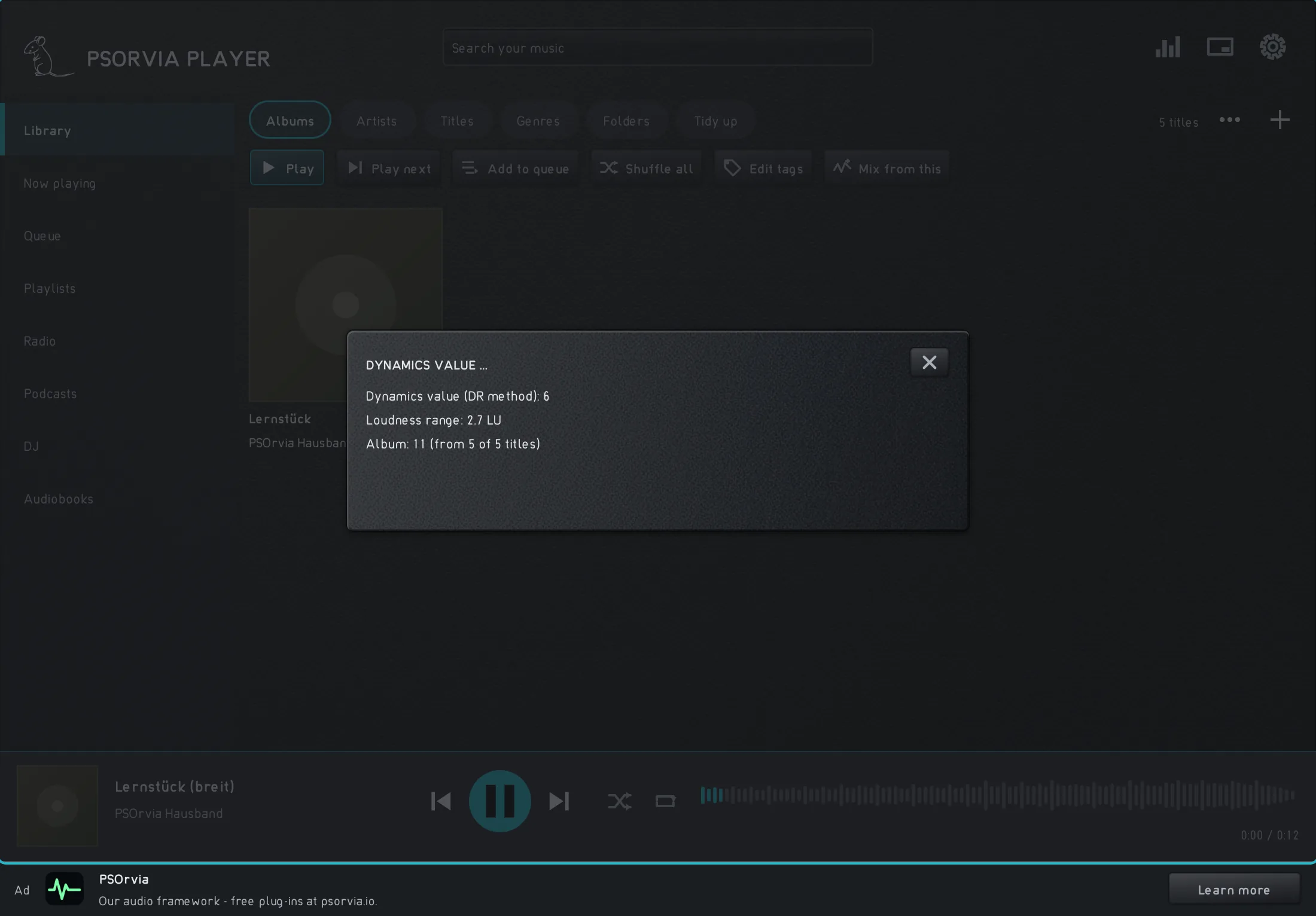
The same dialog for the heavily compressed version: dynamic value and loudness range are clearly smaller. -
Step 3: Listening at equal loudness
The heavily compressed version is lowered back to −23 LUFS, as loud as the starting point. That is exactly what “Match loudness” in “Listen for approval” (Settings › Extras) does: the player measures each version according to ITU-R BS.1770 and lowers the louder ones to the quietest, so that the louder one does not win just because of its volume. Compare this version with the starting point: now you hear what the compression cost.
In the player Settings › Extras › Listen for approval an Audio example
As loud as the starting point, but without its build-up: all bars sound almost equally strong.
The “Level” view shows the jump downward and that the curve stays flat: the volume is the same as at the start again, the dynamics are not. With “Wiper” you drag a dividing line across the spectrograms.
Step 3: Listening at equal loudness
0:00Keyboard: Space plays or pauses, arrow keys jump 5 seconds, Home and End go to start and end.
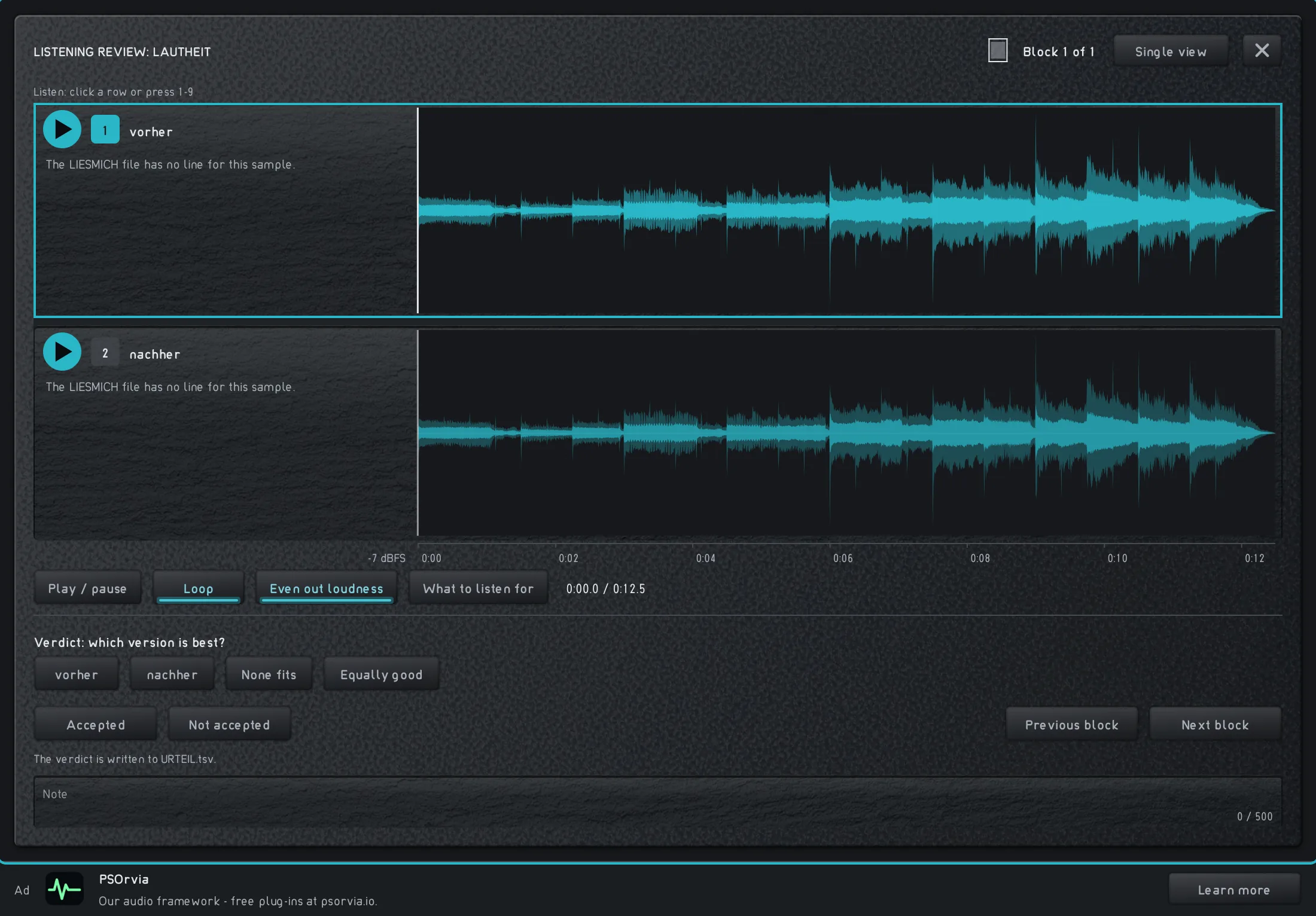
“Listening review” with two versions as waveforms; “Match loudness” is switched on. -
Step 4: Equally loud, but livelier: gently compressed
A gentle compression (ratio 2.5 to 1) with the same loudness as the starting point (−23 LUFS): level and tone color stay, only the dynamics get a little smaller, but the build-up stays audible. In the player, under Settings › Sound you set “Volume leveling” to “Off”, “Per track” or “Per album”; the player then matches the volume of the pieces during playback without touching their dynamics.
In the player Settings › Sound › Volume leveling Je Titel Audio example
As loud as the starting point and almost the same sound; the quiet and loud bars are just a little closer together.
Start with “Level”: the envelope is on average as high as before, only the peaks are flatter. “Difference” shows that the spectrum stays almost the same.
Step 4: Equally loud, but livelier: gently compressed
0:00Keyboard: Space plays or pauses, arrow keys jump 5 seconds, Home and End go to start and end.
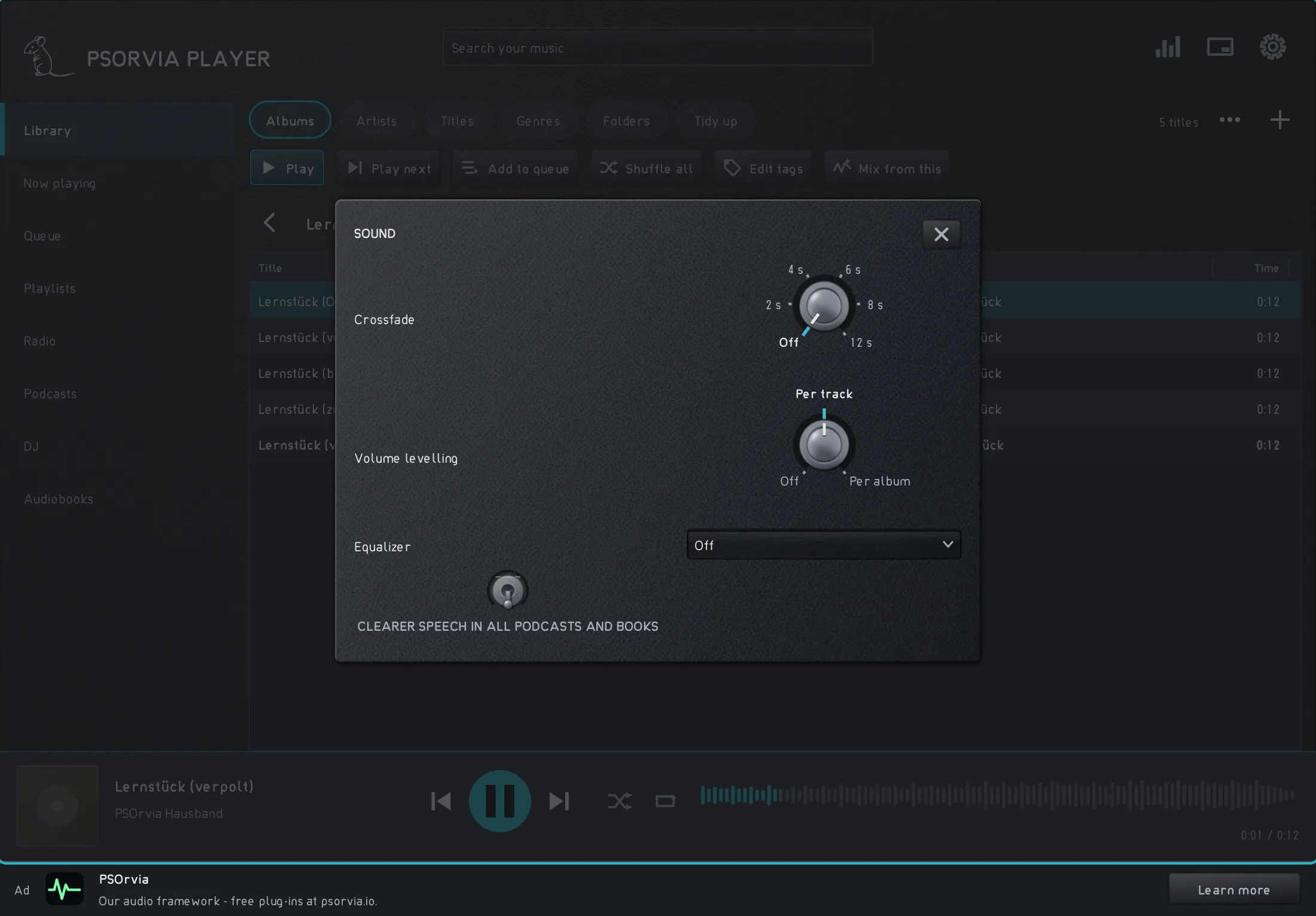
Settings › Sound in the player with the control “Volume leveling” (Off, Per track, Per album).


Listening quiz
Can you hear which step is behind it? Listen to the three sounds and choose the one that belongs to the named step. None of this is saved. Caution: one sound is very loud.